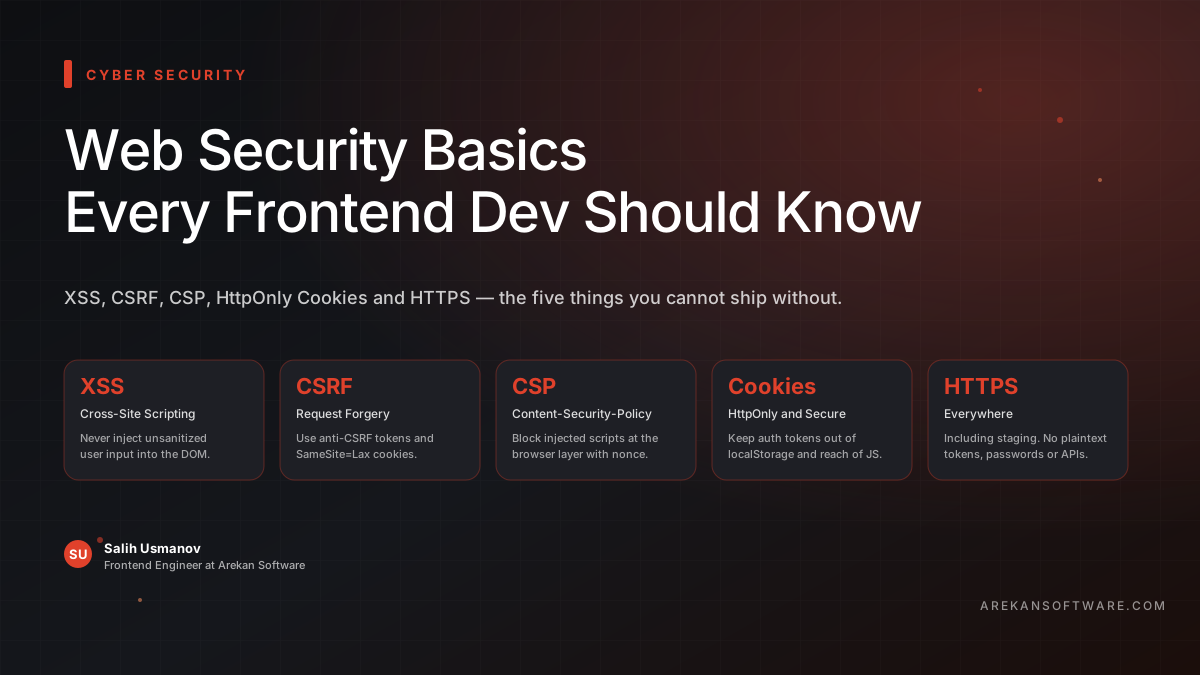
Security feels like a backend problem. The backend validates input, manages authentication, stores data safely. Frontend just renders what it receives, right?
Wrong. Some of the most damaging web vulnerabilities are exploited entirely through the frontend — and a frontend developer who doesn't understand them is a liability, no matter how clean their components are.
You don't need to be a security engineer. But you do need to know this.
XSS — Cross-Site Scripting
XSS is the most common frontend vulnerability. The idea is simple: an attacker injects malicious JavaScript into your page, and your users' browsers execute it.
Imagine a comment section that renders user input as raw HTML. An attacker posts a comment containing a <script> tag. Every user who loads that page now runs the attacker's code — which can steal session cookies, redirect users to phishing sites, or silently make API requests on their behalf.
How it happens in frontend code:
// Dangerous — never do this
element.innerHTML = userInput;

// Safe
element.textContent = userInput;
Modern frameworks like Vue and React escape output by default, which is a huge help. But the moment you use v-html in Vue or dangerouslySetInnerHTML in React, you're bypassing that protection. Those escape hatches exist for a reason — but every use of them is a decision that needs to be deliberate and the input needs to be sanitized first.
Use a library like DOMPurify whenever you absolutely must render user-generated HTML.
CSRF — Cross-Site Request Forgery
CSRF tricks a user's browser into making an authenticated request to your site without their knowledge.
Here's the classic scenario: a user is logged into their bank. They visit a malicious site in another tab. That site contains a hidden form that submits to the bank's transfer endpoint. Because the user is logged in, their browser automatically sends their session cookie with the request. The bank sees a valid authenticated request and processes it.
The defense: CSRF tokens. The server issues a unique, unpredictable token with each session. Forms and state-changing requests must include this token. A malicious third-party site can't know the token, so its forged requests get rejected.
If you're using a framework like Laravel Sanctum or similar, CSRF protection is often built in — but you need to understand what it's doing and make sure your frontend is actually sending the token correctly.
Also: cookies with SameSite=Strict or SameSite=Lax go a long way toward preventing CSRF by telling the browser not to send cookies on cross-origin requests.
CSP — Content Security Policy
CSP is your last line of defense against XSS. Even if an attacker manages to inject a script tag, a properly configured CSP can prevent it from executing.
A CSP is an HTTP response header that tells the browser which sources of content are allowed to load and run on your page.
Content-Security-Policy: default-src 'self'; script-src 'self' https://trusted-cdn.com;This tells the browser: only run scripts from this origin and one trusted CDN. An injected inline script or a script loaded from an attacker's server? Blocked.
CSP feels complicated to configure because it is — getting it right without breaking your app takes iteration. But even a basic policy is dramatically better than no policy. Start with a report-only mode (Content-Security-Policy-Report-Only) to see what would be blocked before you enforce it.
HttpOnly and Secure Cookies
If you're storing authentication tokens, where you store them matters enormously.
localStorage is accessible to any JavaScript running on your page. If an XSS attack succeeds and there's a token in localStorage, it's gone. The attacker has it.
HttpOnly cookies cannot be accessed by JavaScript at all. They're sent automatically with requests but are invisible to document.cookie and any script. This doesn't eliminate XSS risk, but it removes the most valuable target.
Secure cookies are only sent over HTTPS. Without this flag, a token could be transmitted in plaintext over an insecure connection.
The combination — HttpOnly; Secure; SameSite=Lax — is the baseline for any authentication cookie.
Set-Cookie: session=abc123; HttpOnly; Secure; SameSite=LaxThis is set by the backend, but frontend developers need to understand it — because the architecture decision of where to store tokens is often made by the full-stack team together.
HTTPS Everywhere
This one should be obvious in 2026, but it still gets missed on internal tools, staging environments, and smaller projects.
Without HTTPS, everything is plaintext. Passwords, tokens, form data, API responses — all readable by anyone on the same network. On public Wi-Fi, that's a real and trivial attack.
HTTPS also enables features like service workers, HTTP/2, and certain security headers that only work on secure origins. There's no legitimate reason to ship anything without it.
Dependency Vulnerabilities
Your node_modules folder is a massive attack surface you didn't write.
Every npm package you install is code running in your project. Packages get compromised. Malicious versions get published. Dependencies of dependencies carry vulnerabilities you'll never directly audit.
Run npm audit regularly. Use tools like Dependabot or Snyk to get automated alerts when a package you depend on has a known vulnerability. Keep dependencies updated — not obsessively, but on a schedule.
The event-stream incident, the ua-parser-js compromise, the node-ipc sabotage — these all happened through the supply chain. It's a real vector.
The Frontend Developer's Security Checklist
Never inject unsanitized user input into the DOM.
Avoid
innerHTML,v-html,dangerouslySetInnerHTMLunless absolutely necessary — and sanitize when you do.Store auth tokens in HttpOnly cookies, not
localStorage.Understand what CSRF protection your backend uses and make sure your frontend cooperates.
Configure a Content Security Policy.
Use HTTPS everywhere, including staging.
Run
npm auditand keep dependencies updated.Know what your third-party scripts can access — every analytics, chat, and ad script runs with full page access.
Security Is Part of Quality
Security is not a backend moat that protects careless frontend code. The browser is an execution environment, and what runs in it is your responsibility.
You don't need to become a penetration tester. You need to understand how attacks work well enough to recognize when your code creates an opening — and close it before it ships.
The developers who take this seriously build things that last. The ones who don't eventually have a very bad day.
Security is part of quality — not separate from it.
At Arekan, we build frontend applications with security baked in from day one. From CSP configuration to secure authentication flows, we don't treat it as an afterthought.
Build something you can trust.
Author: Salih Usmanov, Frontend Engineer.